Turn your song into a music video
Upload your song → see a 10-second preview of your music video
No subscription · $5 preview
Updated
Quick answer
How do I turn my song into a music video? Upload the song (MP3 or WAV) to Clipbeat. The lyrics are transcribed and timed word by word, every line gets a planned scene, and after the $5 chorus preview you see the scene plan. If you like it, pay once — from $5 Standard, $19 Plus or $39 Premium — and the whole song is made into a 1080p video with karaoke lyrics, the same singer throughout and cuts on the beat. No subscription.
You finished the song. It is mixed, mastered and sitting on your drive as an mp3 or wav — and every platform you want to release it on expects a video. YouTube wants something to watch, TikTok and Reels want something vertical, and a still cover image with a waveform rarely holds anyone past the first chorus.
Clipbeat is built for exactly that moment. You give it the audio file and it gives you back a music video made for that song: your lyrics transcribed and timed, one scene planned for every lyric line, the same main character carried through the whole video, cuts placed on the beat and the words shown on screen as they are sung.
Uploading your song, the timed lyrics and the brief come before any payment; the first payment is the $5 chorus preview. After it you see the scene plan, and when you like it you pay once for that video — from $5 Standard, $19 Plus or $39 Premium — with no subscription. Priced by song length: Standard from $5, Plus from $19, Premium from $39. Standard / Plus / Premium: a 2-minute song $5 / $20 / $39, a 4-minute song $14 / $30 / $69, a 6-minute song $21 / $39 / $100. Pro has its own length table from $100. Premium for songs over 10 minutes is on request — write to us from the Contact page. You see the exact price for your song before you pay. You see what the video will be before you spend anything.
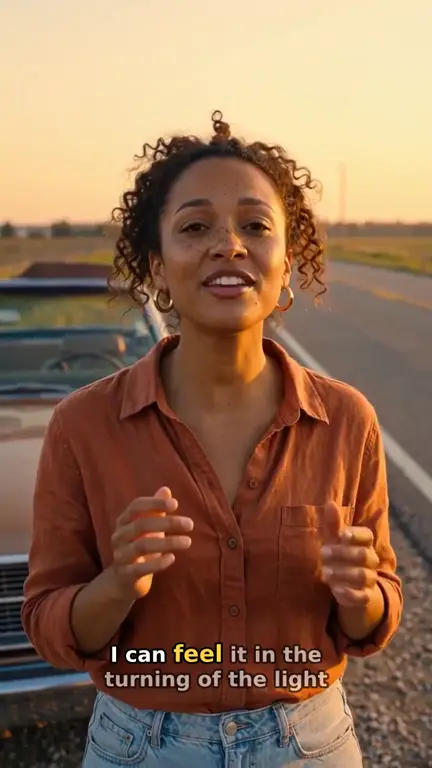
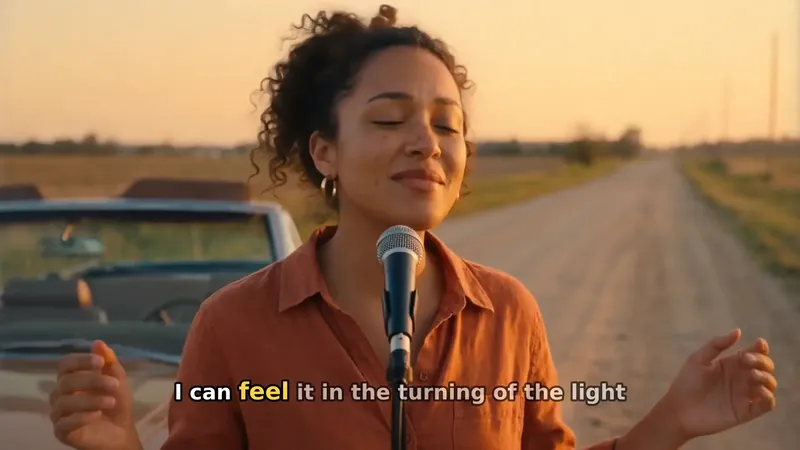
Real output · “Golden Road Home”, acoustic folk
Clipbeat at a glance
| Price per video | from $5 Standard, $19 Plus or $39 Premium — one-time, priced by song length; a 4-minute song is $14 Standard, $30 Plus or $69 Premium |
|---|---|
| Longer songs | Priced by length, up to 20 minutes; the exact price is shown before you pay |
| Before you pay | Your upload, the timed lyrics and your brief (who sings, the style, the places) — no card needed |
| Scene-by-scene plan | After the $5 chorus preview, before you pay for the full video |
| Chorus preview | A short lip-synced clip of your singer singing your chorus, included in the $5 credit pack |
| Subscription | None — nothing renews |
| Lip-sync | Plus, Premium and Pro (the singing shots follow your vocal) |
| Output | 1080p MP4 without a watermark, 16:9 or 9:16 (1:1 and 4:5 from the editor) |
| Upload | MP3, WAV, M4A, FLAC or AIFF, up to 500 MB |
| Lyrics | Transcribed automatically in 50+ languages, shown word by word, karaoke-style |
How it works
- STEP 1
Upload the audio file
Drop in the mp3 or wav of your finished song. Made it with Suno or another AI music tool? Download the file first, then upload it — importing by link is not supported.
- STEP 2
Read your scene plan
Your lyrics are transcribed with word-level timing and every line gets a planned scene. Fix any misheard word before going further.
- STEP 3
Pick a tier and pay once
Choose from $5 Standard, $19 Plus or $39 Premium. The price is for this one video, with no subscription.
- STEP 4
Get the full-song video
The whole song is made right after payment and lands in Studio, where you can export it or keep editing on the timeline.
A real example: “Golden Road Home”
A full acoustic folk song made into a video with Clipbeat on Premium — 20 scenes, one for every lyric line, the same singer throughout and 5 lip-synced singing shots.
What "turning a song into a video" actually involves
Behind a finished music video there are a handful of jobs that usually belong to different people. Someone writes a treatment that matches the lyrics. Someone casts and dresses the performer. Someone shoots or generates the footage, someone edits it to the rhythm, and someone times the lyrics if there are words on screen. For an independent release, all of that tends to land on the artist.
Clipbeat does each of those jobs from the audio itself. The song is the brief: its words decide what each scene shows, its beats decide where cuts land, and its length decides how many scenes there are. That is why the result looks like a video for your song rather than generic footage laid under it.
From audio to scenes: what happens to your song
First, the vocal is transcribed — in more than fifty languages — with a timestamp for every word. Those timestamps are what later make the on-screen lyrics light up word by word, karaoke style, in time with the singer.
Next, the song is split into scenes. Every lyric line becomes its own scene, and instrumental passages get scenes of their own, so a verse with eight lines gets eight distinct shots instead of one long loop. A main character is described once and then locked across every scene, which keeps the video from feeling like a slideshow of strangers.
Finally, each scene is turned into a short moving clip, the clips are cut on the beat against the full track, and the lyrics are placed on top. The result is one continuous video for the whole song.
See a finished example
"Golden Road Home" is a acoustic folk demo song made for our showcase, and its video was made with Clipbeat on Premium ($39). It runs 2:24 and has 20 scenes, 5 of them lip-synced to the vocal. The showcase page for it lists every scene with its lyric line, image prompt and motion prompt, so you can see exactly how a song becomes a video.
What it costs to turn one song into a video
The full video is paid, and we would rather say that plainly than bury it. What comes before payment is the setup — upload a song and you get the timed lyrics and your brief without paying or entering a card. A short lip-synced chorus preview comes with the $5 credit pack, and after it you see the full lyric-matched storyboard. If the plan looks right, you choose a tier and pay once for that video:
- Standard (from $5) — the full song with a scene for every lyric line, full motion, word-by-word karaoke lyrics, 1080p without a watermark.
- Plus (from $19) — everything in Standard (full motion, a scene for every lyric line, word-by-word karaoke lyrics, 1080p without a watermark), plus your singer lip-syncing the chorus with your vocals (2–3 shots).
- Premium (from $39) — full motion with the best image and motion models, extra quality checks on every shot, and real lip-sync on up to 12 singing shots.
Choosing between Standard, Plus and Premium
Standard at $5 is the right call when you need a proper video for a release and do not want to overthink it: every lyric line has its own scene, in full motion. Plus at $19 adds your singer lip-syncing the chorus to your vocals (2–3 shots). Premium at $39 uses the strongest image and motion models, runs extra quality checks on every shot and lip-syncs up to 12 singing shots across the song, not every line.
Checkout shows your local price (for example in EUR or GBP). Payment is a secure card checkout. Purchases are refundable within 14 days only if nothing has been generated yet. Once you generate anything (a preview, scene or video), the purchase is non-refundable, including any unused credits, and delivered videos are not refunded. There is no subscription to cancel.
Wide for YouTube or vertical for TikTok
The paid video follows the shape of your project: 16:9 for YouTube and a website embed, or 9:16 for TikTok, Reels and Shorts. Once the video is in Studio you can also export a square or 4:5 version, cut out just the chorus for a teaser, or publish directly to connected YouTube, TikTok and Instagram accounts.
You can still change everything
The finished video is not a sealed file. It sits on a normal Studio timeline, scene by scene, so you can swap a shot, correct a word, move a cut or drop in your own footage. Many artists use the generated video as the release version and then cut shorter clips from it for promotion.
Frequently asked questions
Can I turn any song into a music video?
Any song you have the rights to, as an mp3 or wav file. Songs with clear vocals give the most accurate lyrics; instrumental tracks still get scenes, just without words on screen.
Do I pay to start?
Uploading the song comes before you pay; the scene plan follows the $5 chorus preview. The video itself is a one-time payment — from $5 Standard, $19 Plus or $39 Premium — with no subscription.
Does the same person appear throughout the video?
Yes. A main character is described once and locked across every scene, so the singer or protagonist stays recognisable from the first line to the last.
My song was made with Suno. Does that work?
Yes. Download the song from Suno as MP3 or WAV and upload the file. Importing directly from a Suno link is not supported. What you may publish or monetize depends on the AI music tool's terms.
Who owns the video?
You do, subject to the rights in your music and the terms of the AI models used to make the visuals.
Turn your song into a video
Upload your song, preview the chorus and read the scene plan first. Your video: from $5 one-time, no subscription.
Make my video