How Clipbeat works, step by step (with screenshots)
Upload your song → see a 10-second preview of your music video
No subscription · $5 preview
Updated
Quick answer
How does Clipbeat turn a song into a music video? You sign in, upload your song, and Clipbeat transcribes the lyrics, plans one scene per lyric line and asks who should sing — your own photo, a stylised version of you, or an AI singer. Uploading, the timed lyrics and the brief come before any payment. A short lip-synced chorus preview comes with the $5 credit pack, after it you see the storyboard, and the full video is a one-time payment: from $5 Standard, $19 Plus or $39 Premium. No subscription.
This page walks through Clipbeat exactly as a new user sees it, screen by screen. The screenshots are real: they come from the live website and from the Studio app, taken on a phone-sized screen and on a laptop. Where a screen only appears after you sign in and upload a song, we describe it in words rather than mock it up.
The short version: one song in, one music video out. You make a handful of choices — who sings, where the story happens, how much of the song is lip-synced — and Clipbeat does the transcription, the scene planning, the shots, the beat-matched cuts and the karaoke lyrics.
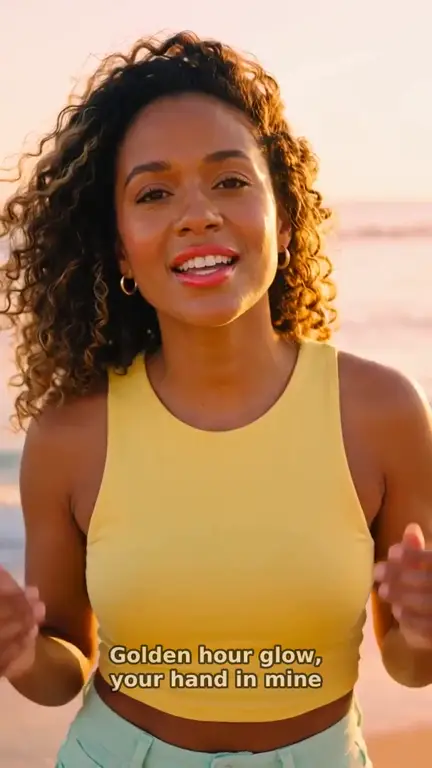
Real output · “Golden Hour Glow”, pop
Clipbeat at a glance
| Price per video | from $5 Standard, $19 Plus or $39 Premium — one-time, priced by song length; a 4-minute song is $14 Standard, $30 Plus or $69 Premium |
|---|---|
| Longer songs | Priced by length, up to 20 minutes; the exact price is shown before you pay |
| Before you pay | Your upload, the timed lyrics and your brief (who sings, the style, the places) — no card needed |
| Scene-by-scene plan | After the $5 chorus preview, before you pay for the full video |
| Chorus preview | A short lip-synced clip of your singer singing your chorus, included in the $5 credit pack |
| Subscription | None — nothing renews |
| Lip-sync | Plus, Premium and Pro (the singing shots follow your vocal) |
| Output | 1080p MP4 without a watermark, 16:9 or 9:16 (1:1 and 4:5 from the editor) |
| Upload | MP3, WAV, M4A, FLAC or AIFF, up to 500 MB |
| Lyrics | Transcribed automatically in 50+ languages, shown word by word, karaoke-style |
Step by step
- STEP 1
Sign in
Open Studio and continue with Google, TikTok, Instagram or YouTube. There is no form to fill in and no card to enter at this point.
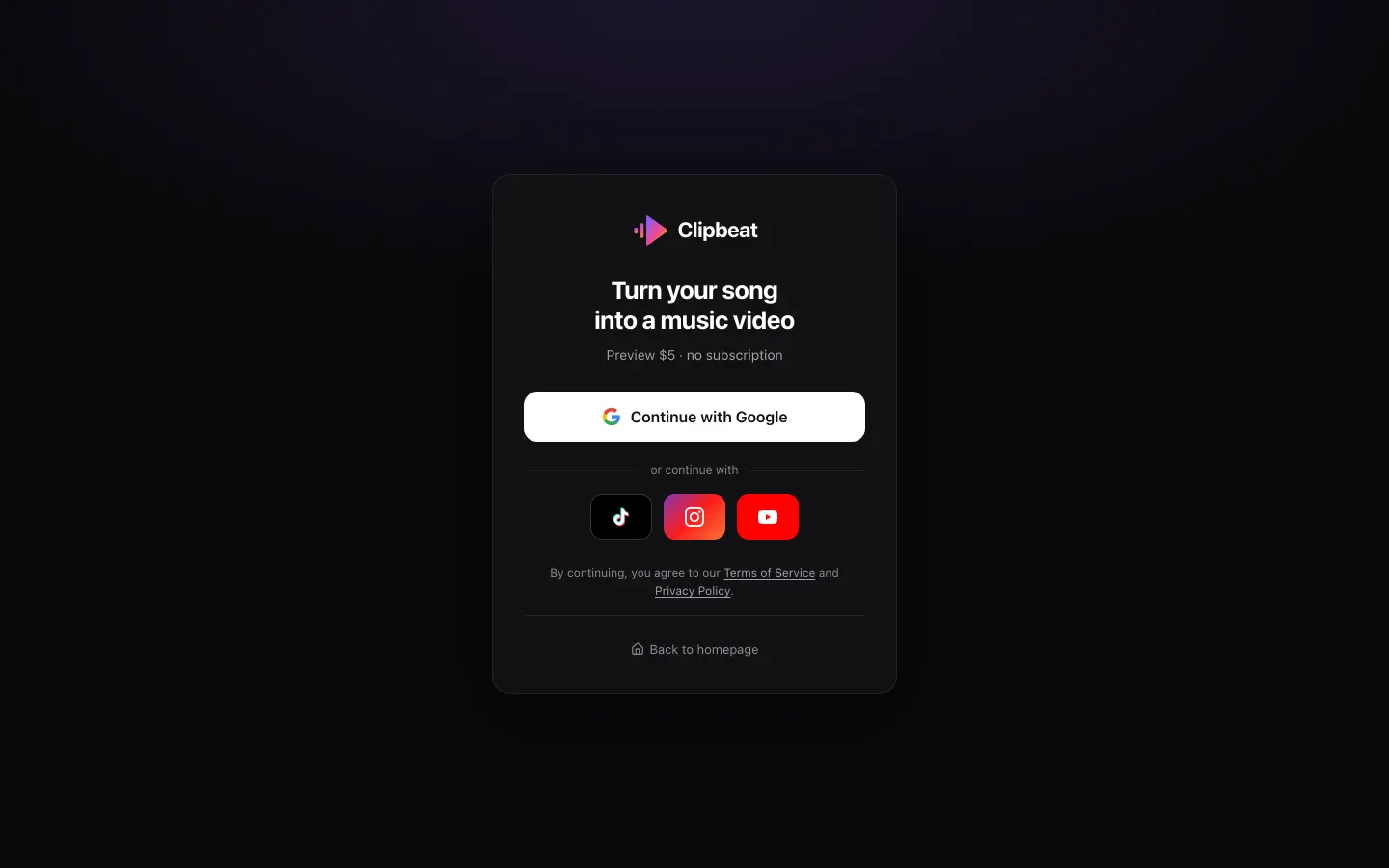
The sign-in screen. The line under the title states the preview price and that there is no subscription. - STEP 2
Upload your song
Tap "Choose your song" and pick the file: MP3, WAV, M4A, FLAC or AIFF, up to 500 MB, or a video file with your song in it. Songs up to 20 minutes are accepted. By uploading you confirm you have the rights to use the song.
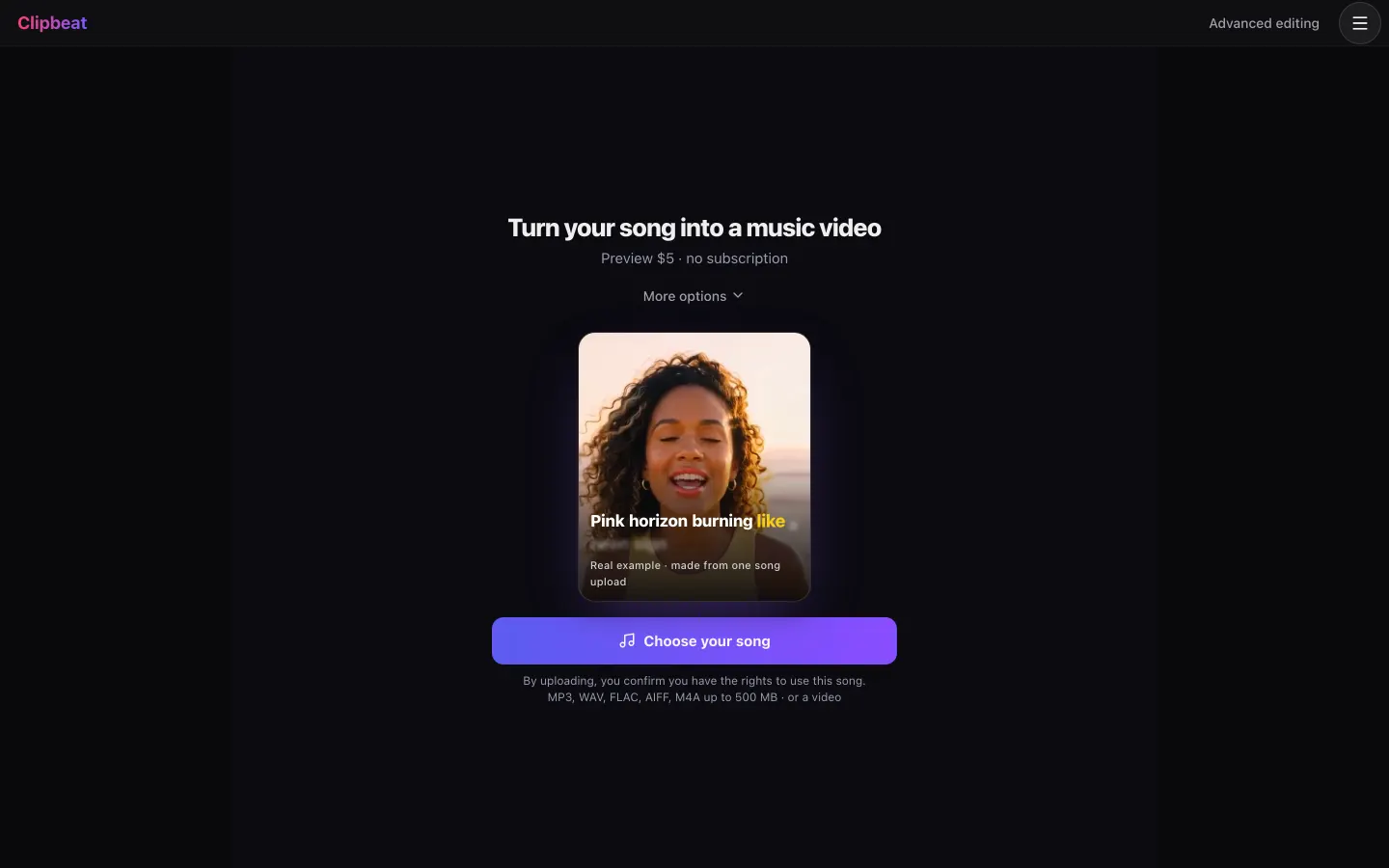
The first Studio screen. The card in the middle loops a real example made from one song upload. - STEP 3
Or pick another way in
"More options" opens three alternatives: paste a Google Drive, Dropbox or MP3 link; mark an instrumental with "My song has no vocals"; or, if you have no song yet, describe the idea and Studio writes the song first, then the video.
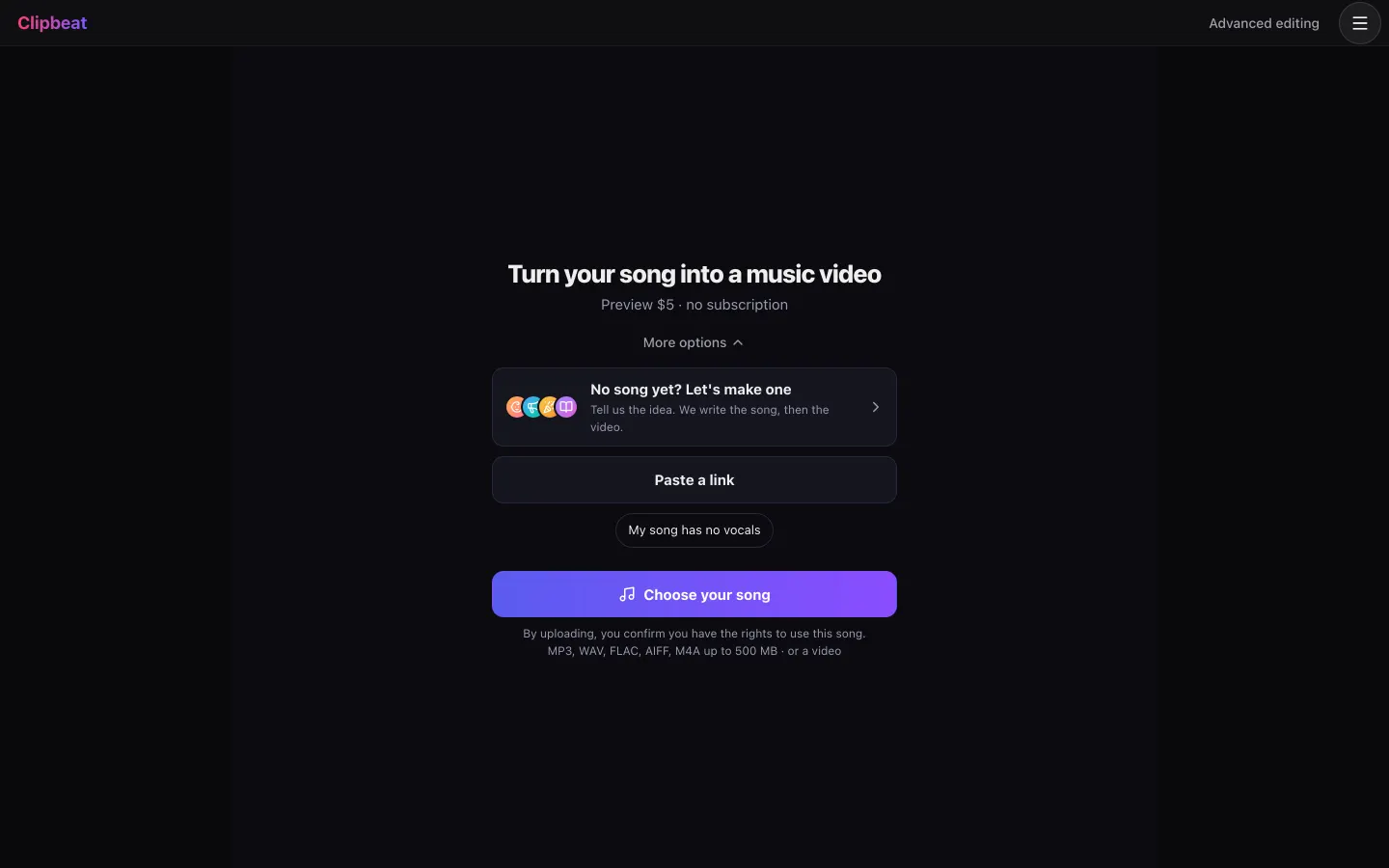
More options: a song from an idea, a link instead of a file, or an instrumental track. - STEP 4
Check the lyrics
The vocal is transcribed with a timestamp for every word, in 50+ languages. Fix any misheard word. Clipbeat then writes a storyboard (one scene per lyric line, plus intros, drops and breaks) that you see after the chorus preview.
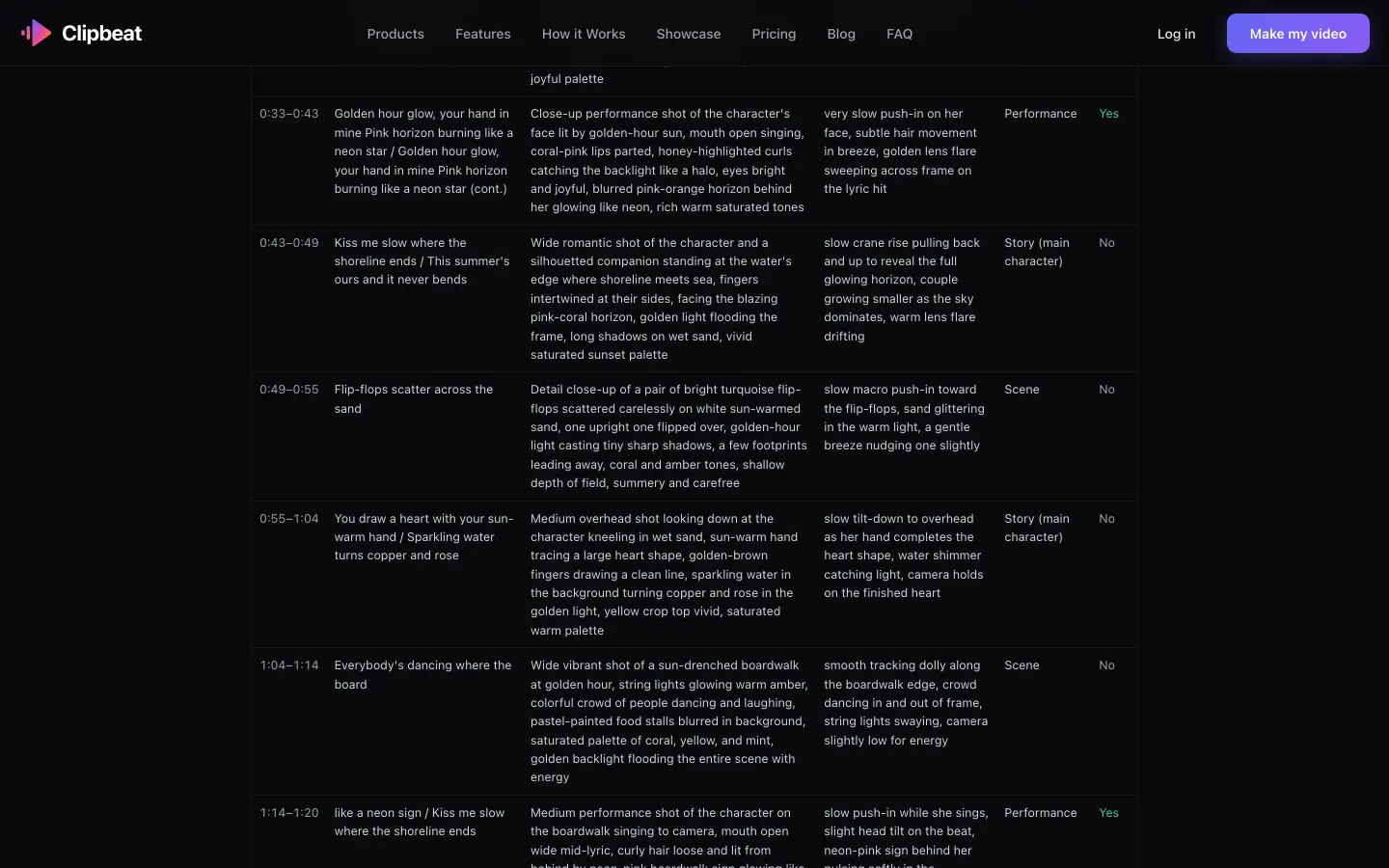
What a scene plan looks like — the published plan of the showcase video "Golden Hour Glow". Each row is one lyric line with its picture, its camera move and whether it is lip-synced. - STEP 5
Choose who sings
Studio asks "Who sings?". Pick "My photo" so your real face sings, "AI me" for a cinematic, anime, 3D or comic version of you, describe a singer in a few words, or pick a ready-made face. The singer is matched to the voice in your song and stays the same in every scene.
- STEP 6
Set your world
Under "Your world", Clipbeat proposes the places for the story, written from your lyrics and grouped by verse, chorus and bridge. Change any place, ask for another one, write your own, or add a photo of a real place from your life.
- STEP 7
Watch a short lip-synced preview
If you want to see your singer actually singing before you commit, the $5 credit pack films a short lip-synced clip of your chorus. If the preview is not made, you get the credits back.
- STEP 8
Pick a tier and pay once
Choose from $5 Standard, $19 Plus or $39 Premium. The price depends on the length of your song and is shown before you pay. Nothing renews.
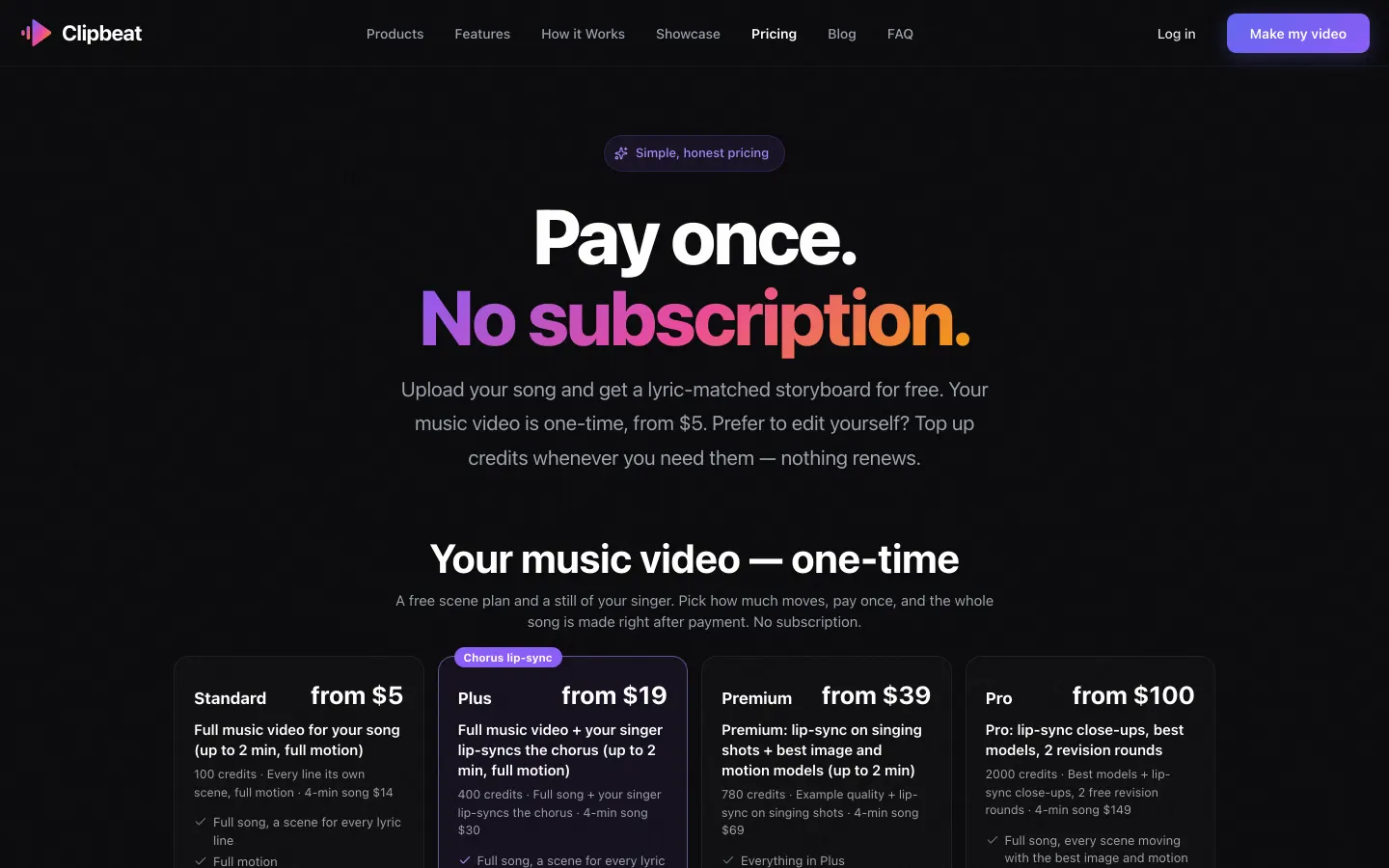
The tiers on the pricing page. Studio shows the same tiers with the exact price for your song. - STEP 9
Get your video
The whole song is made right after payment. Download the 1080p MP4 without a watermark, export a 9:16 version for TikTok, Reels and Shorts, or publish to connected YouTube, TikTok and Instagram accounts.
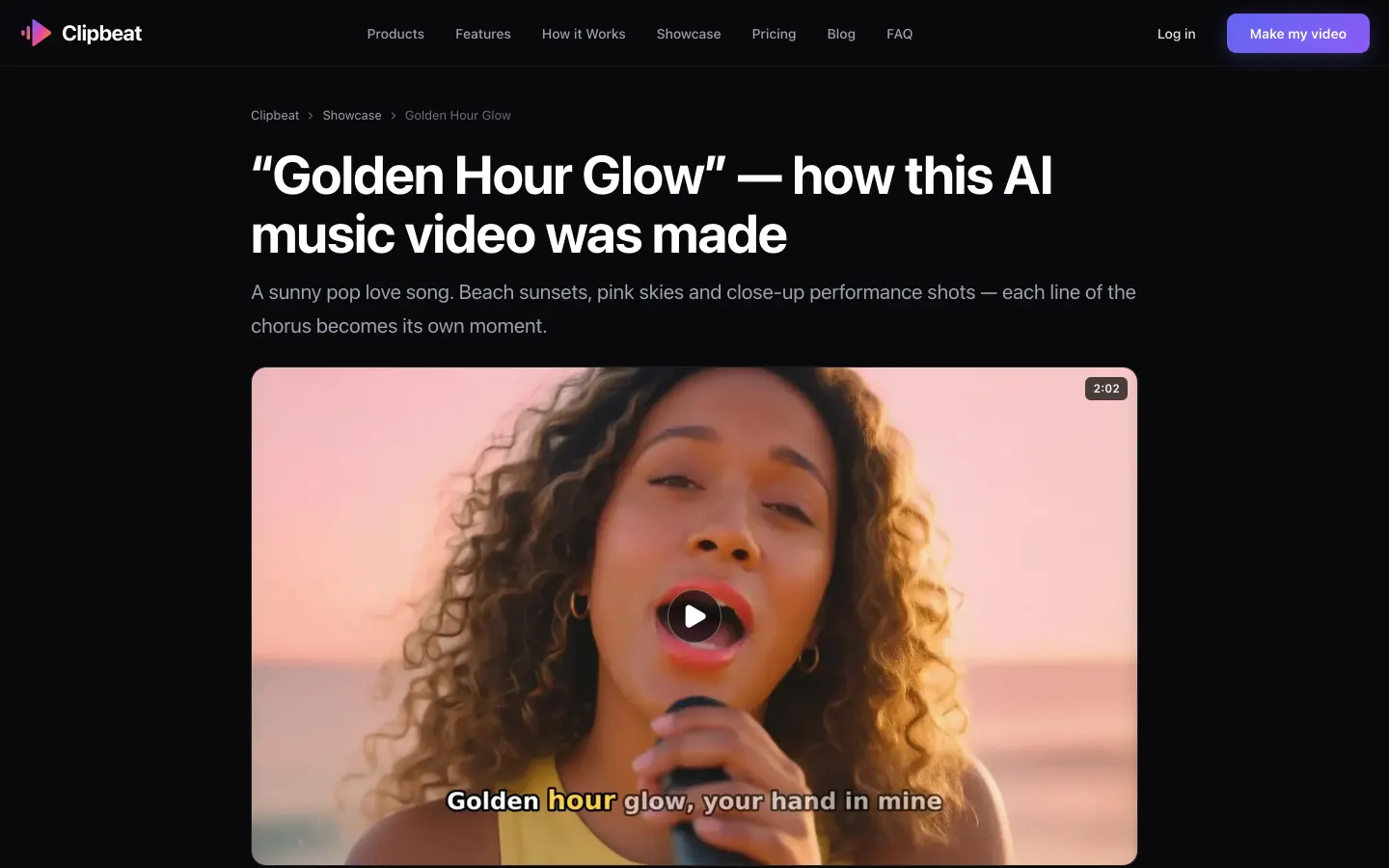
A finished video: "Golden Hour Glow", 2:02, 16 scenes, 5 lip-synced singing shots.


A real example: “Golden Hour Glow”
A full pop song made into a video with Clipbeat on Premium — 16 scenes, one for every lyric line, the same singer throughout and 5 lip-synced singing shots.
What you decide, and what Clipbeat does
You make the creative calls; the software does the repetitive work. You decide who sings, where the story happens and how much lip-sync you want. Clipbeat handles transcription and word timing, the scene plan, keeping the same face from shot to shot, the motion in each shot, cutting on the beat and placing each word on screen as it is sung.
What you pay, and when
Signing in, uploading, the timed lyrics and the brief come before any payment. The lip-synced chorus preview is part of the $5 credit pack, and the storyboard follows it. The full video is a single payment per song. Priced by song length: Standard from $5, Plus from $19, Premium from $39. Standard / Plus / Premium: a 2-minute song $5 / $20 / $39, a 4-minute song $14 / $30 / $69, a 6-minute song $21 / $39 / $100. Pro has its own length table from $100. Premium for songs over 10 minutes is on request — write to us from the Contact page. You see the exact price for your song before you pay.
- Standard (from $5) — the full song with a scene for every lyric line, full motion, word-by-word karaoke lyrics, 1080p without a watermark.
- Plus (from $19) — everything in Standard (full motion, a scene for every lyric line, word-by-word karaoke lyrics, 1080p without a watermark), plus your singer lip-syncing the chorus with your vocals (2–3 shots).
- Premium (from $39) — full motion with the best image and motion models, extra quality checks on every shot, and real lip-sync on up to 12 singing shots.
How much of the video is lip-synced
Plus ($19) lip-syncs your singer on the chorus (2–3 shots, your vocals); Premium ($39) lip-syncs up to 12 singing shots across the song, not every line. Standard ($5) has no lip-sync. Lip-synced shots are the singing close-ups and mid-shots; scenes where the singer is walking, driving or not in frame are not lip-synced on any tier.
How long it takes
Your part — sign-in, upload, checking lyrics, choosing the singer and places — usually takes a few minutes. Making the video takes longer and depends on the song length and the tier; Studio shows the progress scene by scene. A 2:02 song like the example above became 16 scenes on Premium ($39 for a short song).
Rules for faces and songs
Use a song you have the rights to and a face that is yours or belongs to someone who clearly agreed. Celebrities, impersonation and photoreal minors are not allowed. Photos you add are checked before payment so you do not pay for a video that cannot be made with them. Purchases are refundable within 14 days only if nothing has been generated yet. Once you generate anything (a preview, scene or video), the purchase is non-refundable, including any unused credits, and delivered videos are not refunded.
Frequently asked questions
Do I need to install anything?
No. Clipbeat runs in the browser on a phone or a computer. You sign in with Google, TikTok, Instagram or YouTube.
Can I see what my video will look like before paying?
Yes, before paying for the video. The $5 credit pack gives you a short lip-synced clip of your chorus, then you see the lyric-matched storyboard.
Can I be the singer in my own video?
Yes. Choose "My photo" and add a clear selfie, or "AI me" for a stylised version of yourself. Only use your own face or the face of someone who agreed.
What if my song has no vocals?
Open "More options" on the upload screen and tick "My song has no vocals". The places are then written from the track instead of the lyrics, and there is no lyric text or lip-sync.
How much does the full video cost?
from $5 Standard, $19 Plus or $39 Premium, once, depending on song length: for example $5 Standard for a short song, with Plus from $19 and Premium from $39. The exact price for your song is shown before you pay.
Try it with your song
Upload your song, pick your singer and read the storyboard before you pay for the video. Full video from $5, one-time.
Make my video